
1 Record
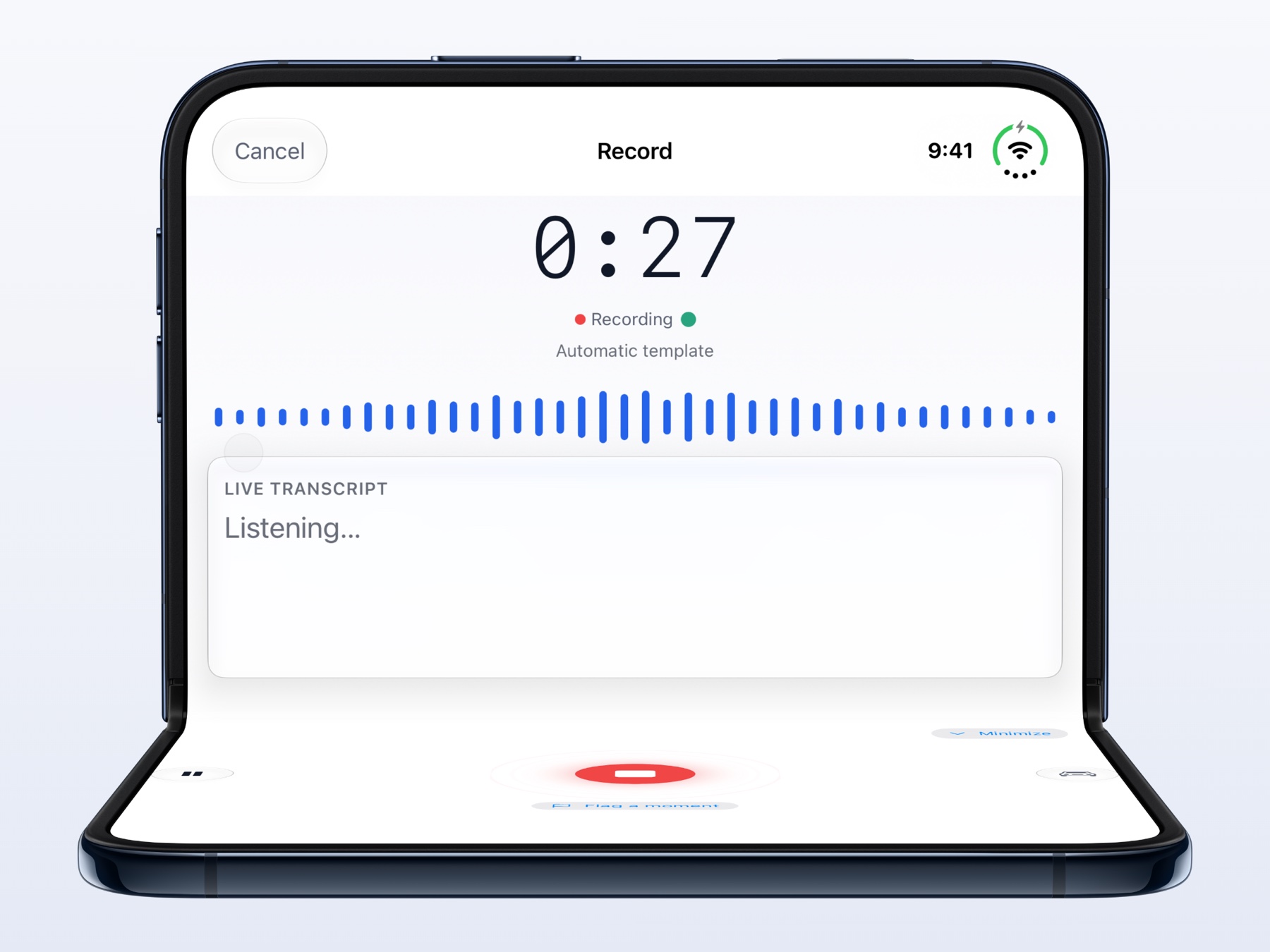
Tap once. The live transcript reads along as people talk, and one tap flags a moment worth coming back to.

Say, and I Scribe
SayScribe™ records, transcribes and writes the summary, action items and follow-up email for you, privately, with nothing stored on our servers.


Three real screens. Record, get your notes, act on them.
Tap once. The live transcript reads along as people talk, and one tap flags a moment worth coming back to.
When you stop, the summary, minutes, action items and a follow-up email write themselves. Each one gets its own tab.

Every action item lands in one tracker with an owner and a date, across all your meetings, with a My Day view for today.
Stepped away for five minutes? Ask what you missed. Lost the thread? Ask who said what. Answers come from this meeting's transcript, on your device, and they keep working after the meeting ends.
Live answers during a recording use Apple Intelligence. The Ask tab works on every device.

Pro keeps a Markdown file for every recording in a folder you choose, updated whenever the note changes. Point any app that reads a folder at it and your meetings are already there.
# Product Launch Planning and Feature Decisions
Saturday, October 10 · 1:52 · Productive
Tags: Product Launch, Sprint Planning

## Summary
TL;DR: The team confirmed November 12th as the
launch date and made several key decisions,
including a 14-day trial and a redesigned
summary layout.

## Decisions
- Launch date: November 12th
- Trial length: 14 days

## Action items
- [ ] Prepare two pricing page variants (Priya, Oct 15)
- [ ] Write up the export proposal (Marcus, Oct 16)Record on your phone, review on your iPad, send the follow-up from your Mac. Everything syncs privately through your own iCloud.

Say "Record with SayScribe" to Siri, start from Control Center or the Action button, or build your own Shortcuts.
Car Mode keeps the screen simple and the recording running, with CarPlay audio handled for you.
Link a calendar event, export action items to Reminders, share any tab, import audio you already have.


Prop it open on the table and the live transcript reads on the far half while the controls and the Ask field stay near you. Stand it up like a book and each takes a page. Fold it mid-meeting and the recording never notices.
Pick one when you record, or let SayScribe choose. Each template shapes the sections your notes will have.
What stays with you, what leaves, and when. No surprises.
Your recordings, transcripts, notes and action items live on your iPhone, iPad and Mac, or in your own iCloud if you turn sync on.
Audio is processed securely for transcription and deleted right after. The text goes out to write your notes and is deleted after processing.
There is nothing to sign up for and nothing to sign in to. We do not know who you are, and we do not want to.
Your conversations are never used to train anything. Read the privacy policy and the FAQ for the plain-language version.
Start free. Upgrade when you're ready.
Monthly prices shown. Yearly plans with savings, and a free trial, are available in the app. All plans can be canceled anytime.
Your next meeting can be the last one you take notes in.